How to Create and Use Agents
AI agents are best suited for tasks where you say one thing and the agent needs to carry out multiple steps on its own. They work better for workflows that move from research to judgment to execution to validation than for simple question-and-answer prompts.
When is it a good fit?
Recurring tasks:
- Organizing blog drafts
- Summarizing work from commit logs
- Writing release notes
- Generating documents in the same format every time
- Reviewing images, links, and frontmatter
Code tasks:
- Finding the cause of a bug
- Investigating refactoring scope
- Analyzing test failures
- Implementing small features
- Making consistent changes across multiple files
- Cleaning up unused code and dependencies
Research and organization:
- Checking how a specific library is used
- Comparing competing services or app features
- Reading and summarizing documentation
- Analyzing project structure
- Tracing why a piece of code is written the way it is
Operational automation:
- Running a pre-deployment checklist
- Checking SEO metadata
- Verifying a scheduled post's
publish_date - Checking for broken links
- Updating portfolio cards
- Cleaning up app store description and screenshot copy
When doesn't it fit?
- Questions that only need a one-line answer
- Decisions that are mostly about taste or strategy
- Tasks that need real-time information, but you don't have access to it
- High-risk actions like payments, deletions, or deployments without approval
- Requirements that are still too vague
In those cases, it's better to decide the direction with a person first, then let the agent execute.
Good ways to use it
It helps to give an agent a combination of role, input, output, and constraints.
Example 1 - Investigation request:
Analyze the portfolio page structure in this repository.
Do not make any changes.
1. Where the data lives
2. Where images are loaded from
3. Which files need to change to add a new project card
Summarize the results.
Example 2 - Blog draft:
Analyze today's commits and organize them into a blog draft.
Use today's commits from git log as the target.
Save the draft in ../blog_doc_temp/.
Match the style of my existing Korean posts.
Practical standards
| Subject | Role |
|---|---|
| What I do | Goals, priorities, and final judgment |
| What the agent does | Explore, organize, draft, iterate, validate |
| What a human approves | Deployments, deletions, payments, final disclosure wording, sensitive changes |
These agents are especially useful for blogging:
blog-auto-draft- converts today's work into a blog draftportfolio-updater- reads project markdown and updates portfolio cards and imagespost-checker- checks frontmatter,publish_date, links, and image pathsseo-reviewer- checks title, description, canonical, OG, and sitemaprelease-note-writer- turns app update history into store copy
The key is less "let the agent think for me" and more "let the agent handle the tedious and repetitive middle steps." The safest approach is for humans to make the final call and for agents to focus on speed and catching omissions.
Creating an agent
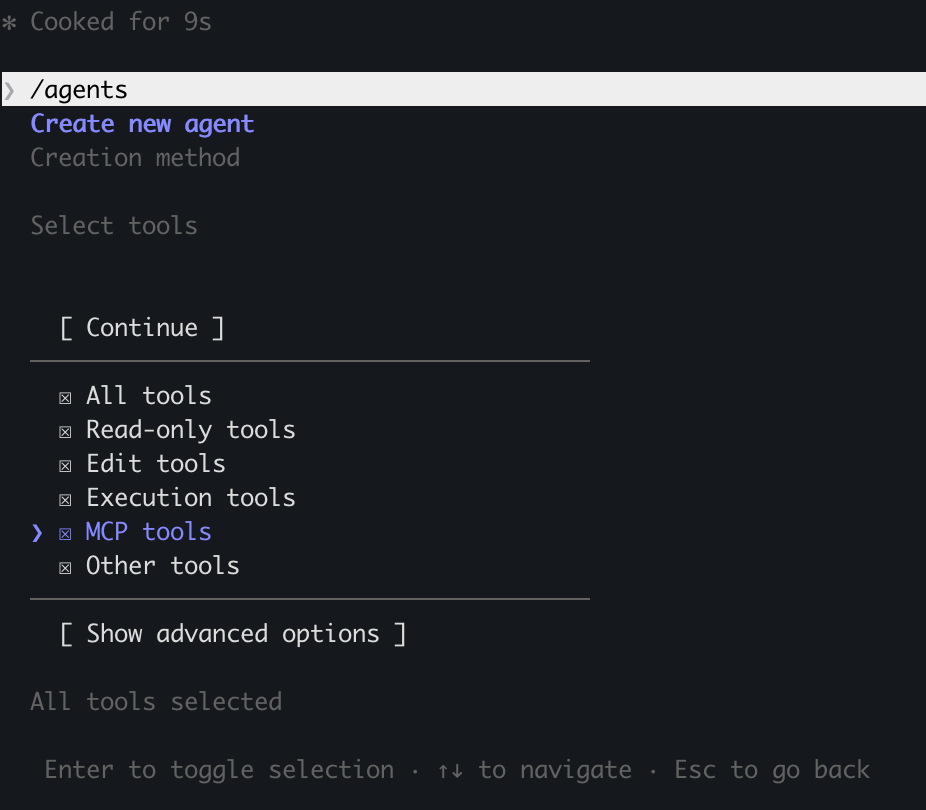
Open /agents, select Create New Agent, write the recurring task you want, choose the permissions to grant, and it will create the agent for you.
I created an agent that opens my blog draft files, reviews them, and cleans up duplicates.
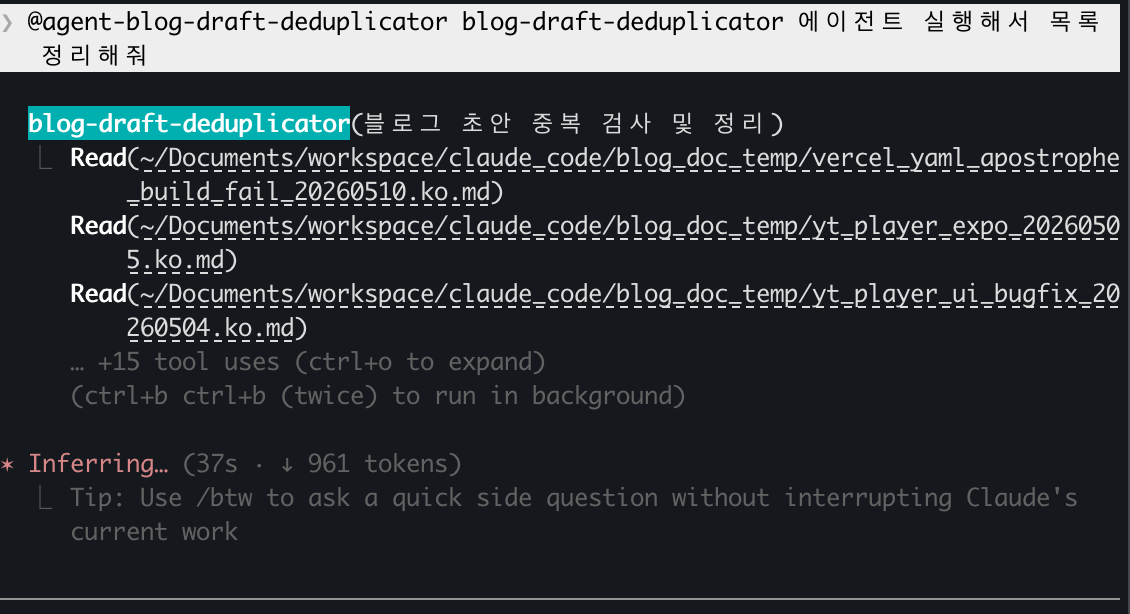
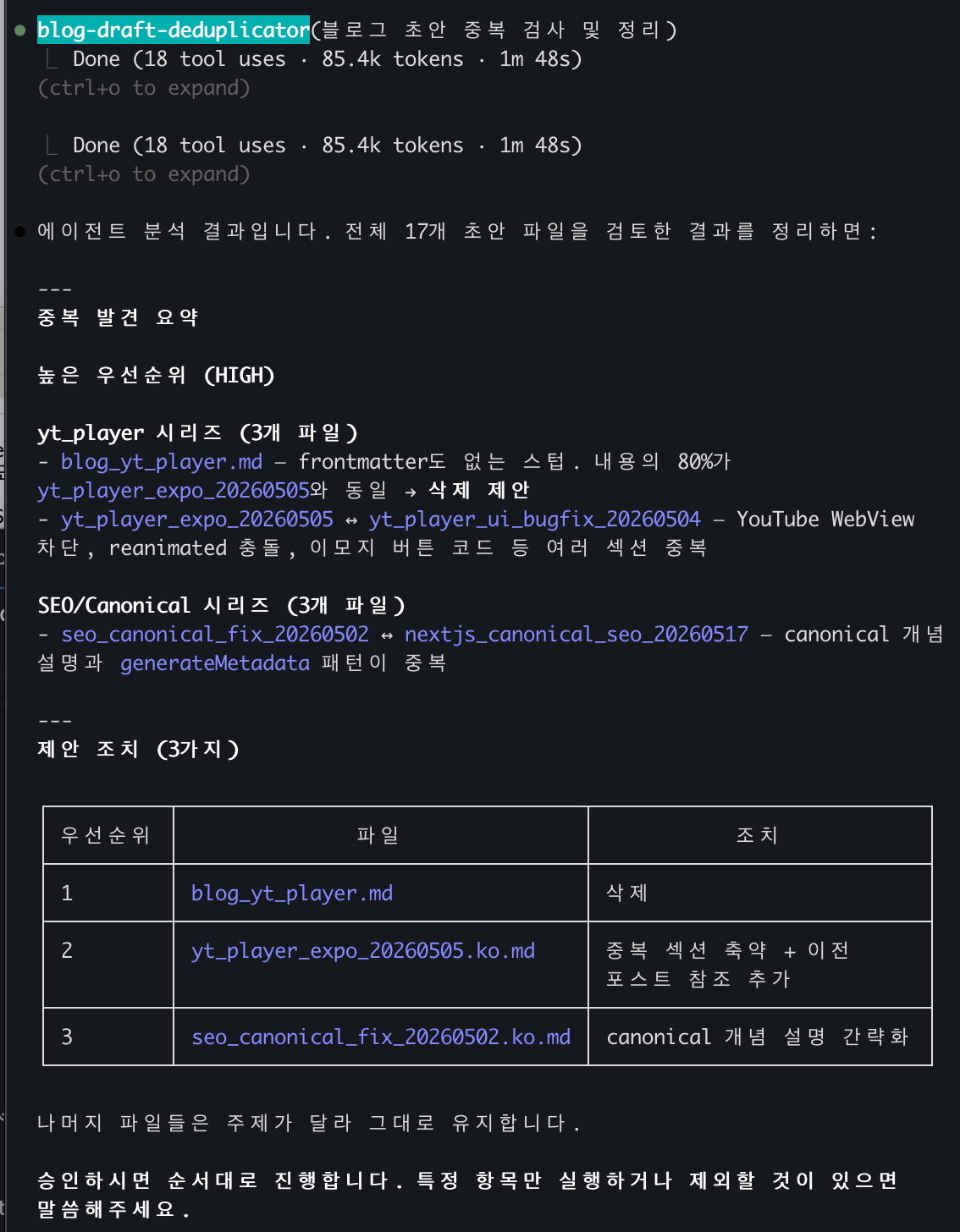
Be sure to include the phrase "Work with me" at the end, so it only works on things you've verified.
That's how it checks for duplicate blog content.
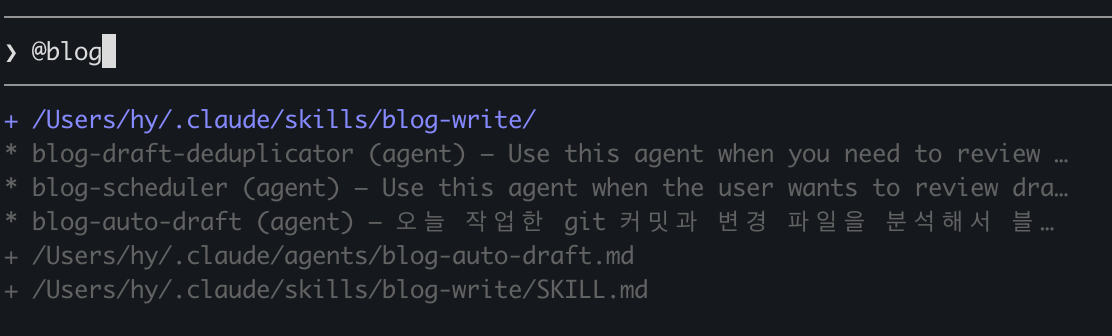
When you run it, press @ and type the agent name.
backtodev
A 40-something PM returns to code. Learning, failing, and growing.