[AI_StartDevelopment04] Maintain Session
If you use the clod code in the terminal, if you switch back and forth between networks, the session will be interrupted.
You can think of the contents you were working on as being blown away.
And if I connect again... Forget everything Claude has done before... There are many things you need to log in again, approve permissions...
So, if you don't want to do that...It's important to keep the session going.
The program that helps with that is tmux.
vercel connection or github connection is lost.
ा GitHub push is normal, but it is difficult to check the Vercel integration status directly in the terminal.

  To check for yourself:
  1. Check the Vercel Dashboard → Project → Select Deployments tab
  2. Check status with or! vercel command

  Some possible causes:

- If Vercel is integrated with GitHub repo but automatic deployment is turned off
  - If a branch other than the main branch is set as the distribution branch
  - Deployment aborted due to build failure
So I installed tmux.
the advantage of tmux is that there are multiple windows and status bars in the same session. Below the terminal are the current session markings and window numbers as shown in the image below.

The picture below is from another blog.
Use multiple screens like this and **All commands can be done with the keyboard. **
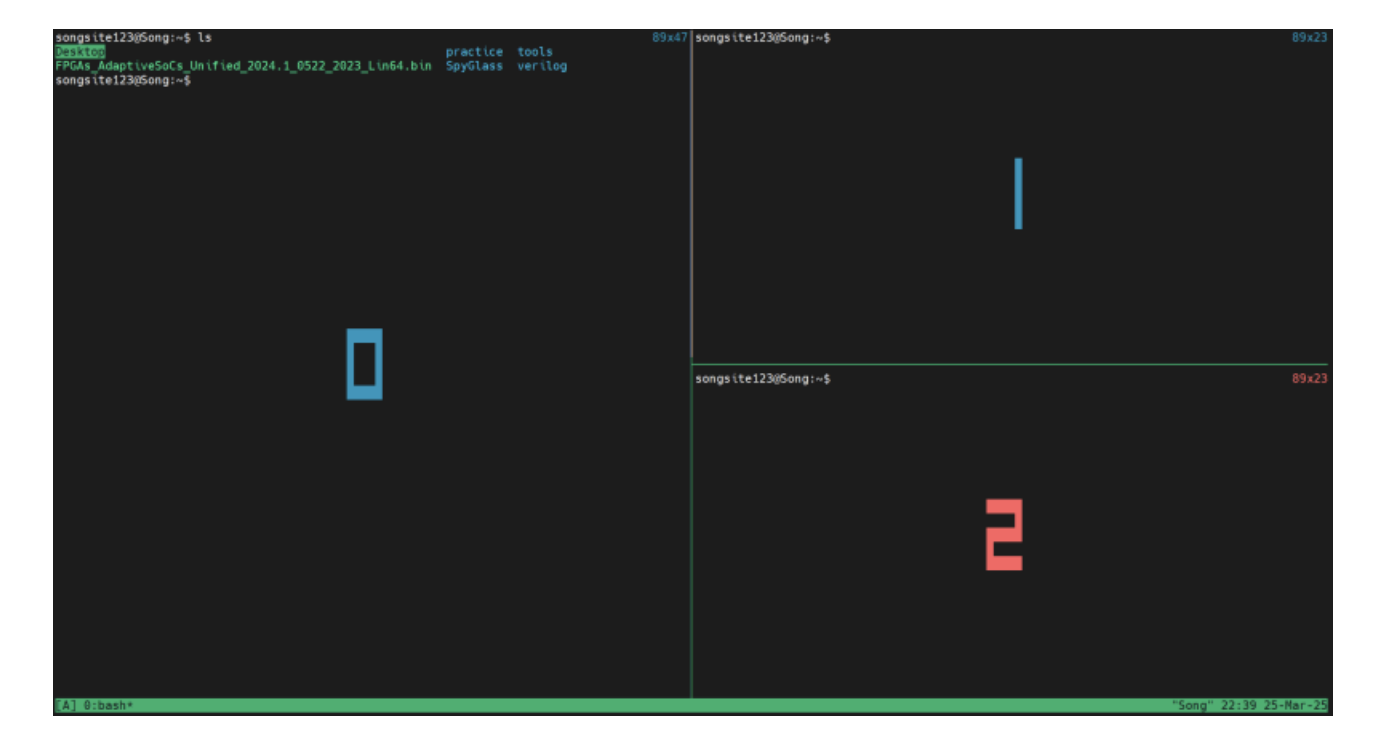
I feel like an old vim, but it's been so long... I think it'll be much faster once I get used to shortcuts.
There are too many shortcuts, but for now, you can just press ctrl + b and use the arrow keys to switch terminals.
refer to the blog below for instructions on how to install and use tmux.
[how to use tmux 01] (https://m.blog.naver.com/PostView.naver?blogId=songsite123&logNo=223809804101&navType=by)
[how to use tmus 02] (https://editor752.tistory.com/67)
backtodev
A 40-something PM returns to code. Learning, failing, and growing.