[App Launch] How to Gather 12 Testers — Why You Should Use Google Groups
To publish an app on Google Play, at least 12 testers must use it for 14 or more days.
I figured I'd just email people — turns out there are quite a few traps along the way.
Warning 1 — The Link Doesn't Work Right After Creating a Track
When you first create a track, it enters "Under review" status.
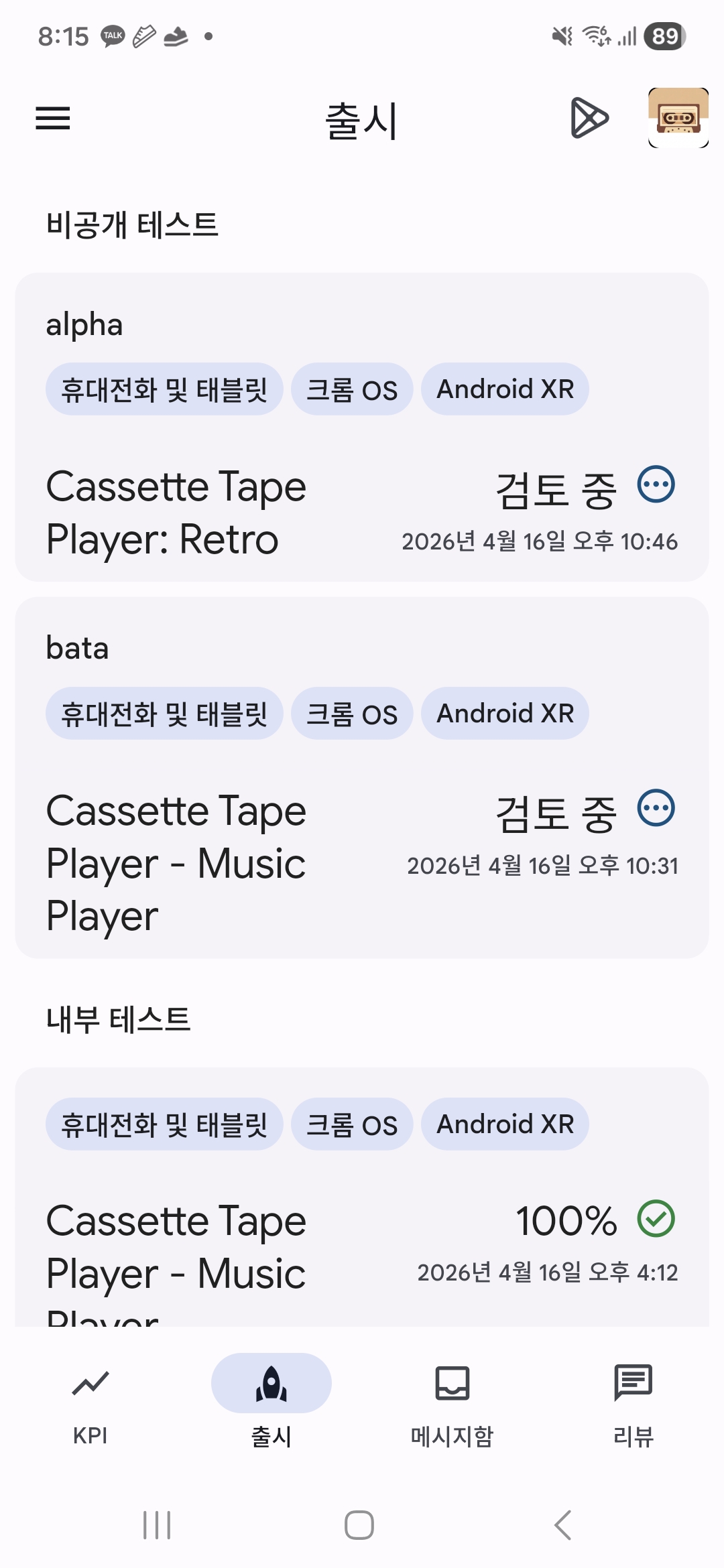
In this state, sharing the test link won't let anyone install your app.
Wait for the review to complete before sharing the link.
Only the initial creation takes time. Adding testers afterward is nearly instant.
Warning 2 — Use Google Groups, Not a Manual Email List
There are two ways to add testers:
| Method | Details |
|---|---|
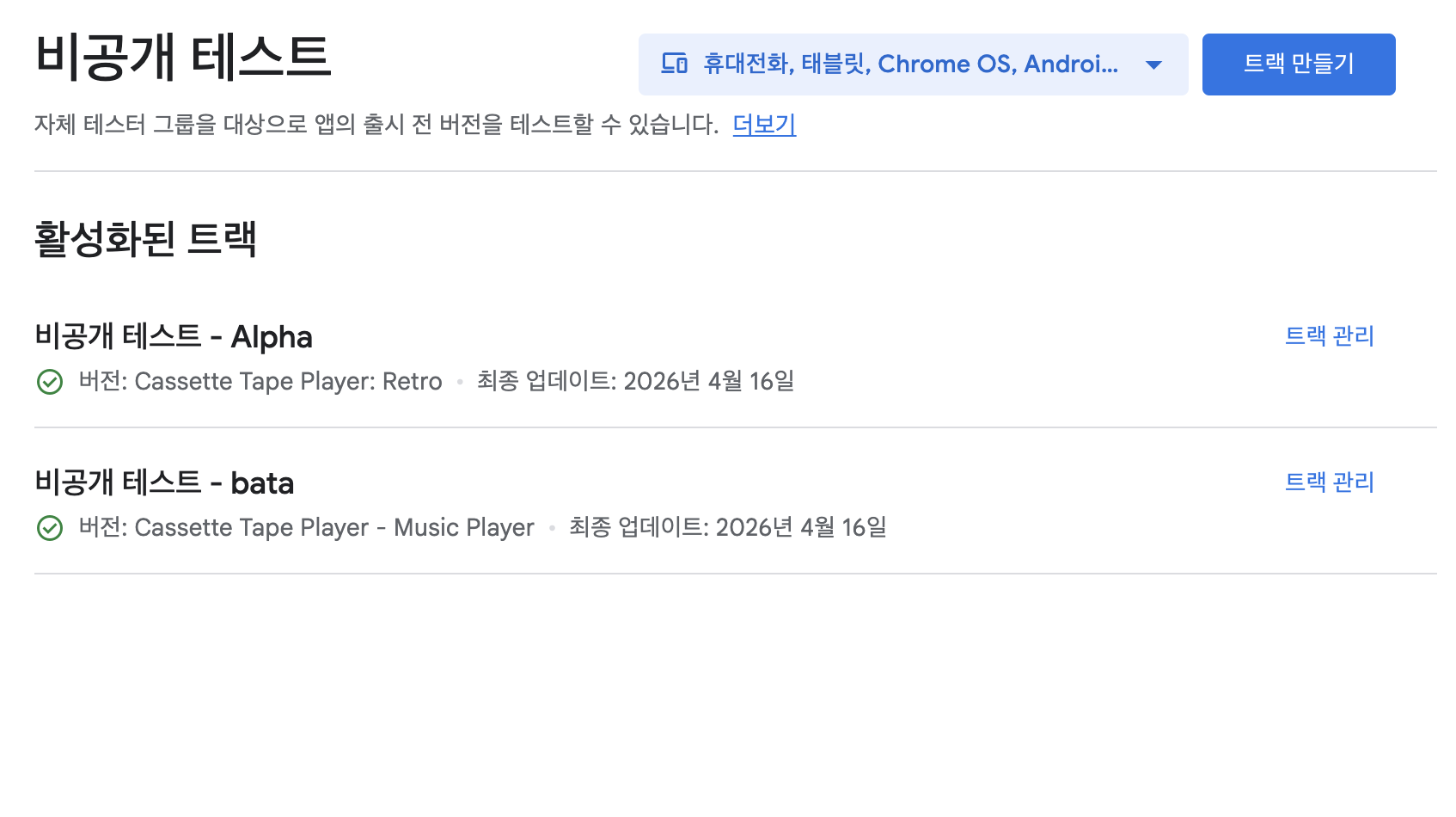
| Enter emails manually | You must register each person one by one |
| Link a Google Group | Share a group link and testers join themselves |
If you make the Google Group public, testers can join on their own and get registered automatically.
Much less work than collecting and entering every email address.
Warning 3 — Add Google Groups at the Time You Create the Track
This is the most critical trap.
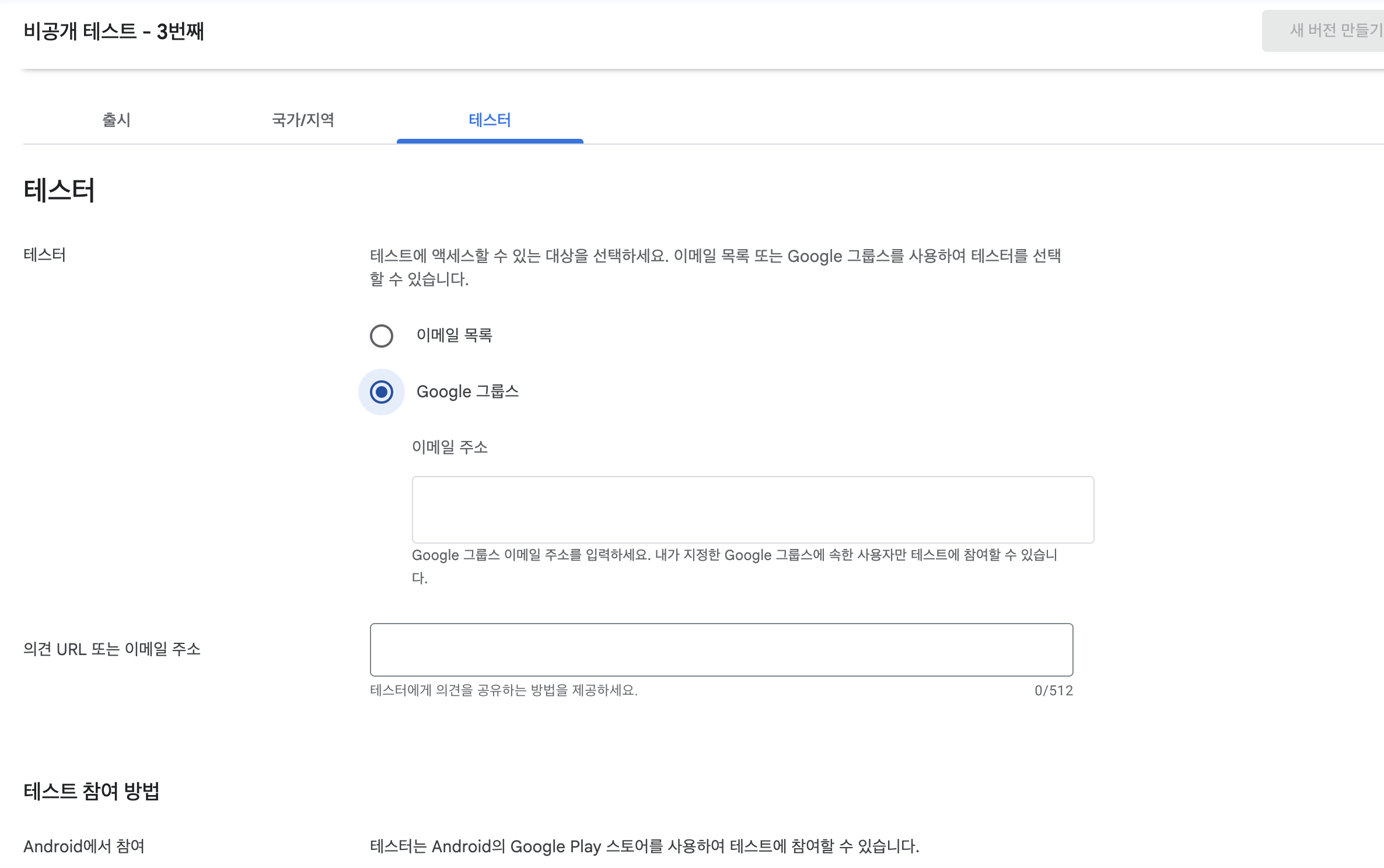
If you create the track first and add Google Groups later, it won't take effect.
You must register the Google Group when you submit the track, not after.
Adding it via edit later doesn't get recognized — you'd have to create a new track entirely.
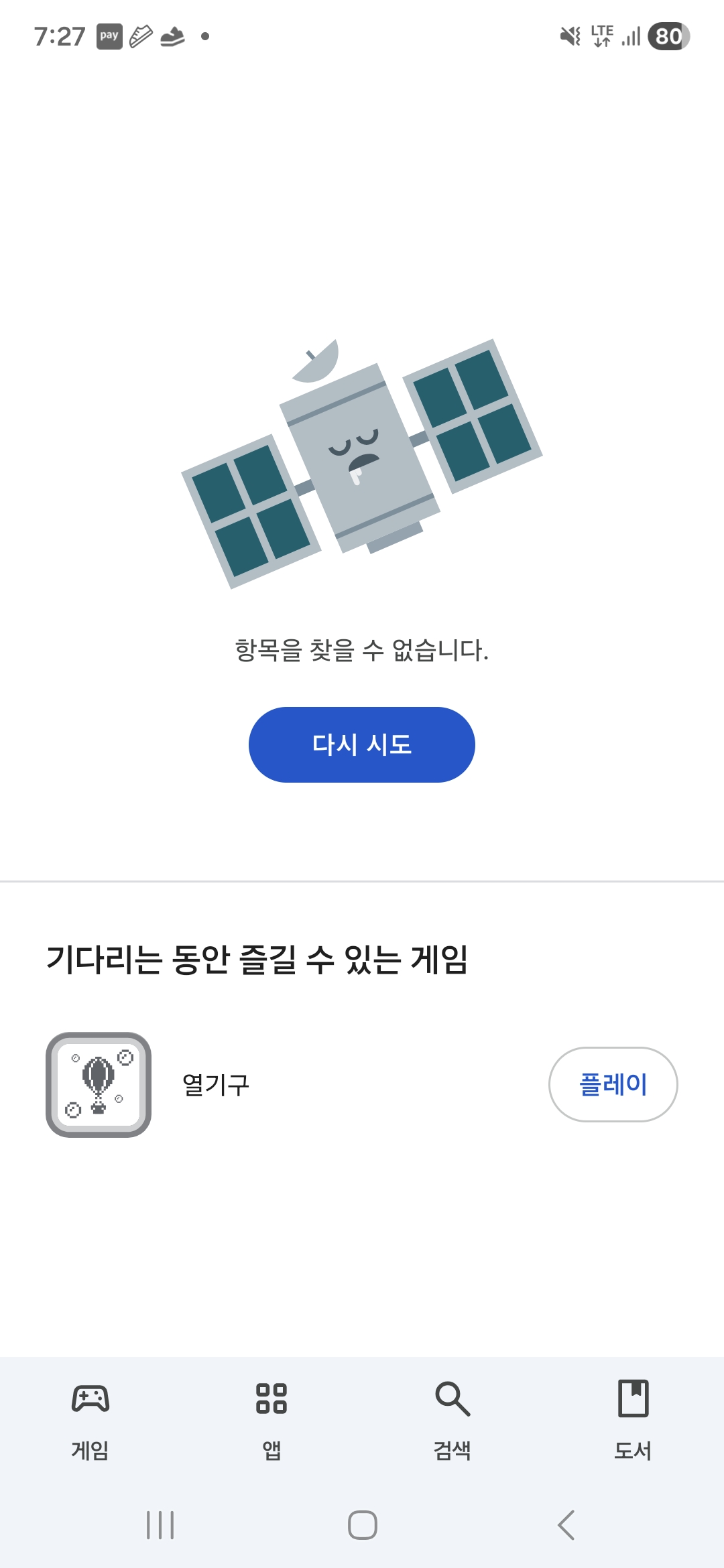
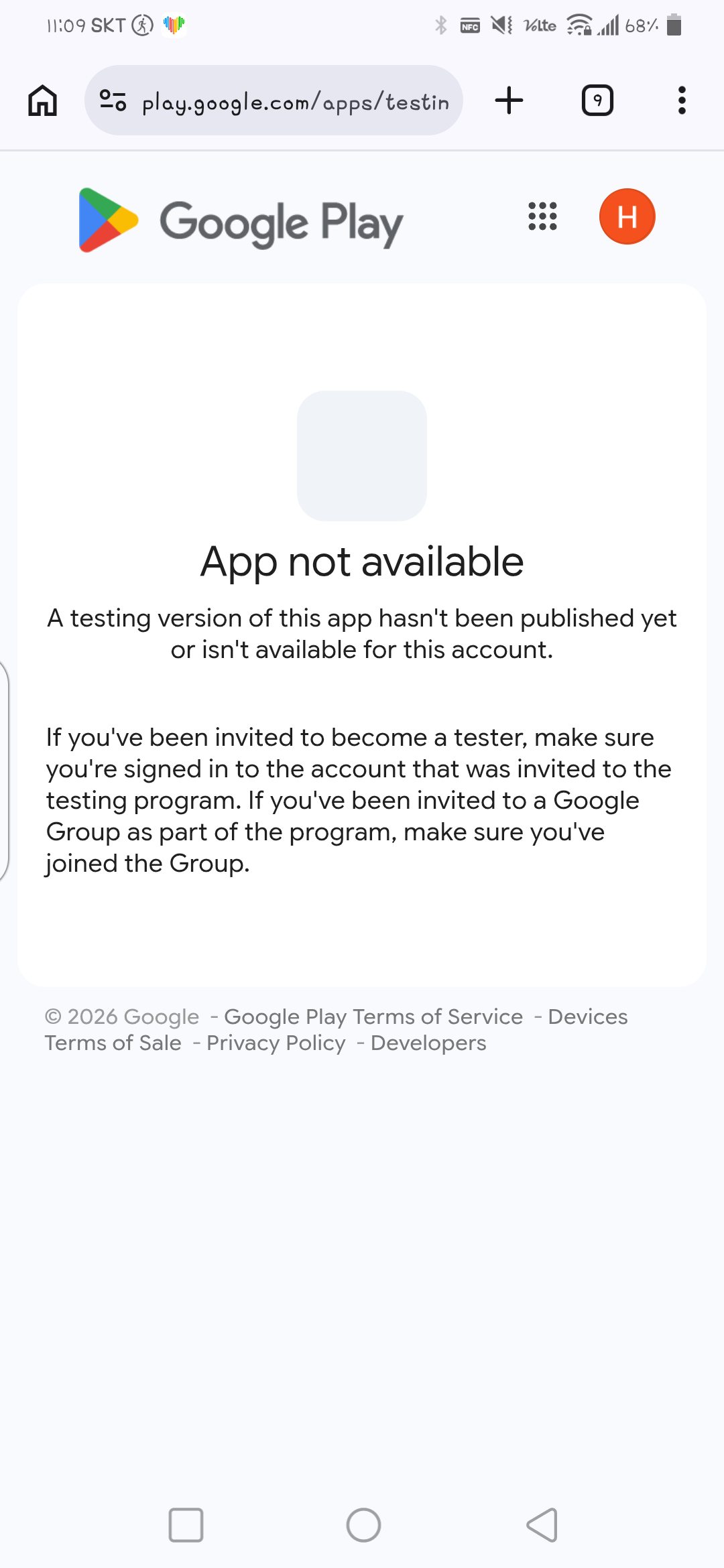
If Groups aren't properly linked, testers who click the link will see an "Access denied" error:
Sample Tester Recruitment Message
Here's the actual message I used. Works well in SNS or open chat groups:
🙏 Looking for 12 testers for my app!

I'm doing a final beta test before launching my
retro "Cassette Tape Music Player" app 🎧

✔ How to participate (simple)

1. Join the Google Group (required)
   https://groups.google.com/g/cassettetape

2. Open the link below and install
   https://play.google.com/store/apps/details?id=com.hscassette.player

(Web test link)
https://play.google.com/apps/testing/com.hscassette.player

✔ What I'm asking

* Just install it and open it occasionally 👍
* Please don't delete it for 14 days 🙏

Leave a comment or message me and I'll get you registered right away!
Including both the Google Group link and the install link helps testers follow the two steps without confusion.
Summary
- Create the track → wait for review (only takes time the first time)
- Create a public Google Group → prepare the group address
- Register Google Groups when submitting the track (adding later won't work)
- Share the link → testers join the group and install the app
- Maintain for 14+ days → meet the official launch requirement
backtodev
A 40-something PM returns to code. Learning, failing, and growing.