[Claude Console] Buy Credits button is disabled - Causes and solutions for not checking out
I signed up for the console to try out the Claude API and tried to top up my credit. I entered my card information, address and everything, but the purchase button is still disabled.
I spent a couple of days trying different things, and the bottom line is - it's a bug that resets the City selection when the language is switched on the checkout page.
Symptoms
The Buy button is not pressed even when all payment information is entered.
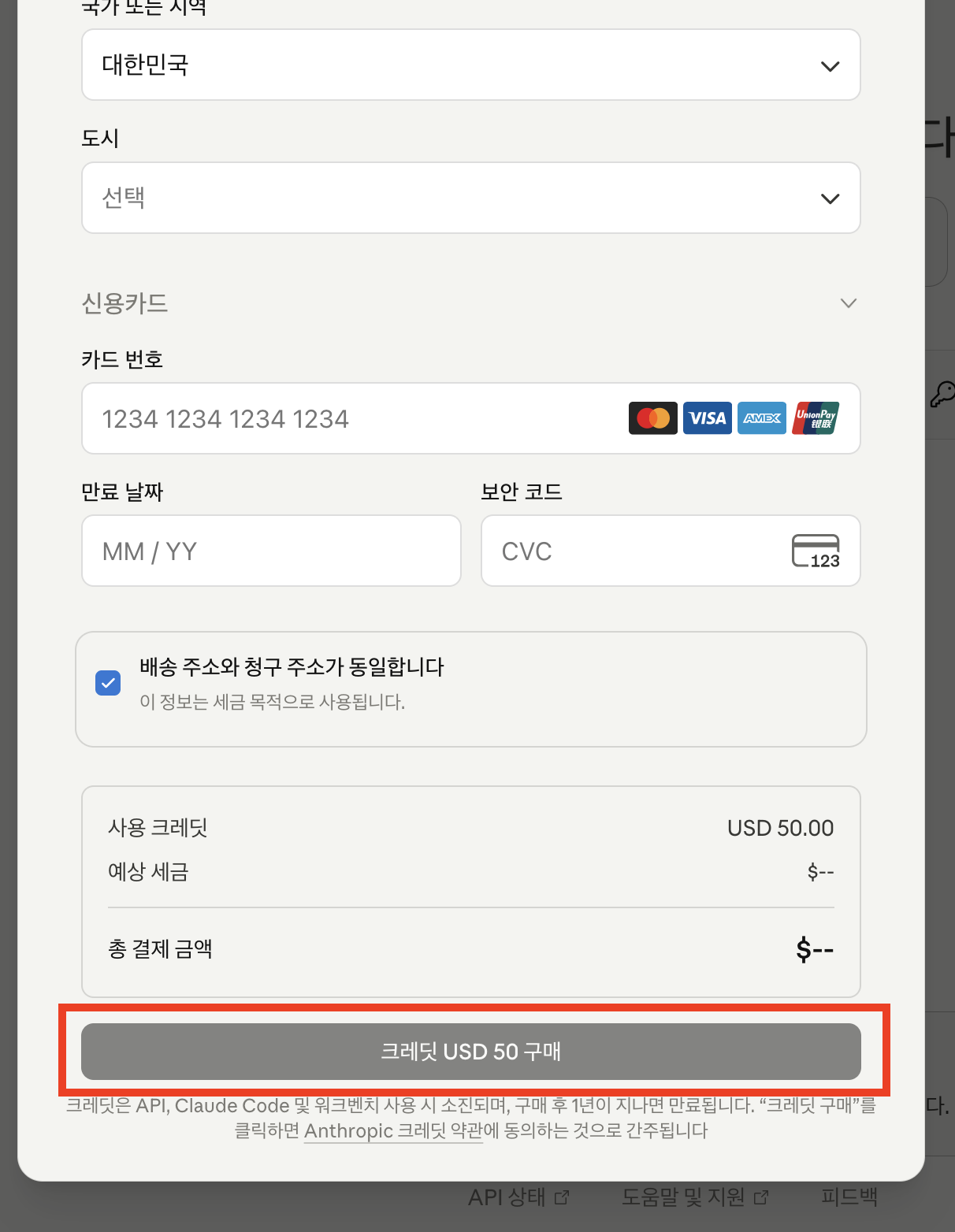
I double-check the address fields one by one and they all seem to be filled in.
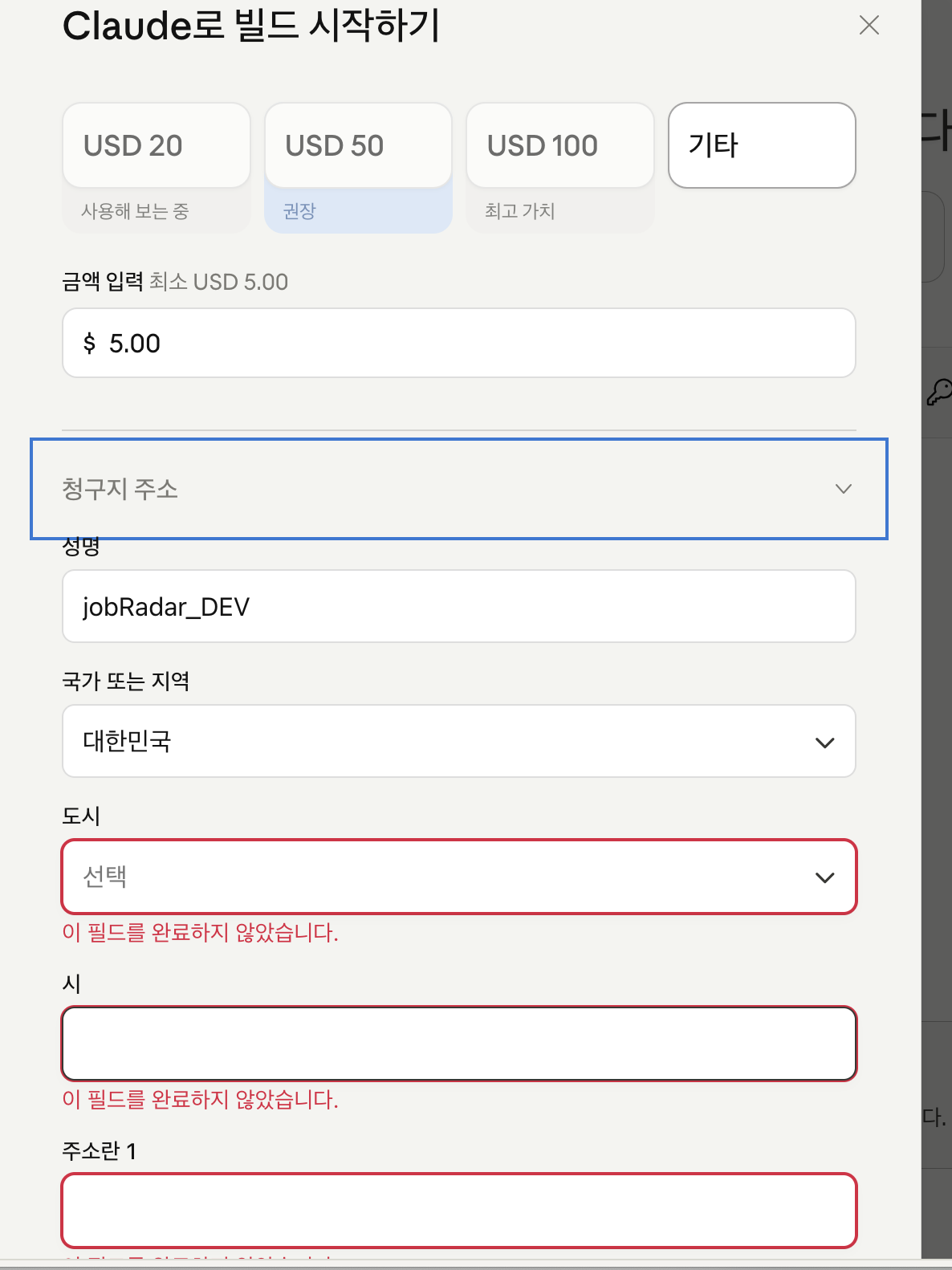
After filling in all the fields, the button is still not activated.
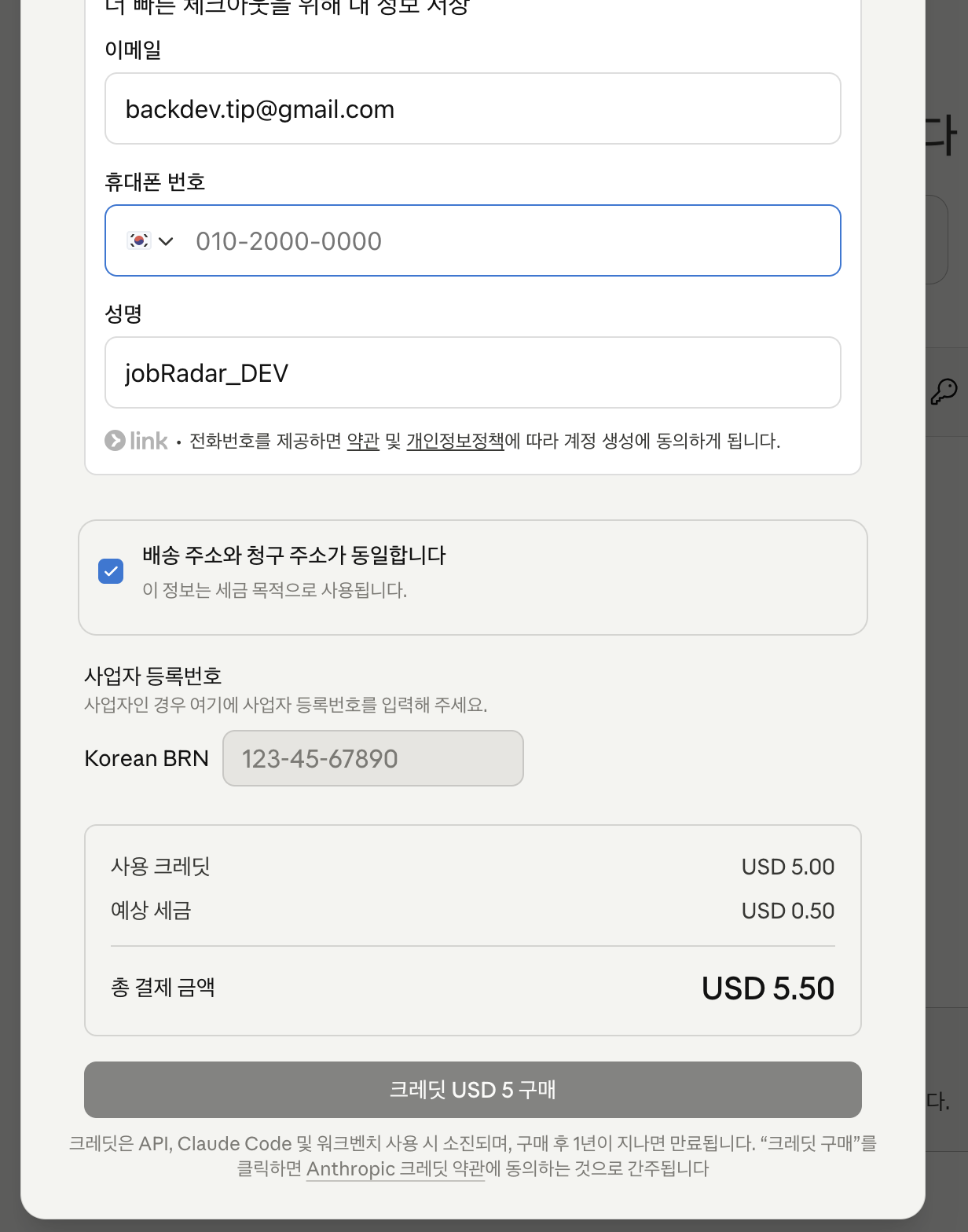
Find the cause
I unchecked the Shipping address and billing address are the same checkbox to verify the shipping address manually.
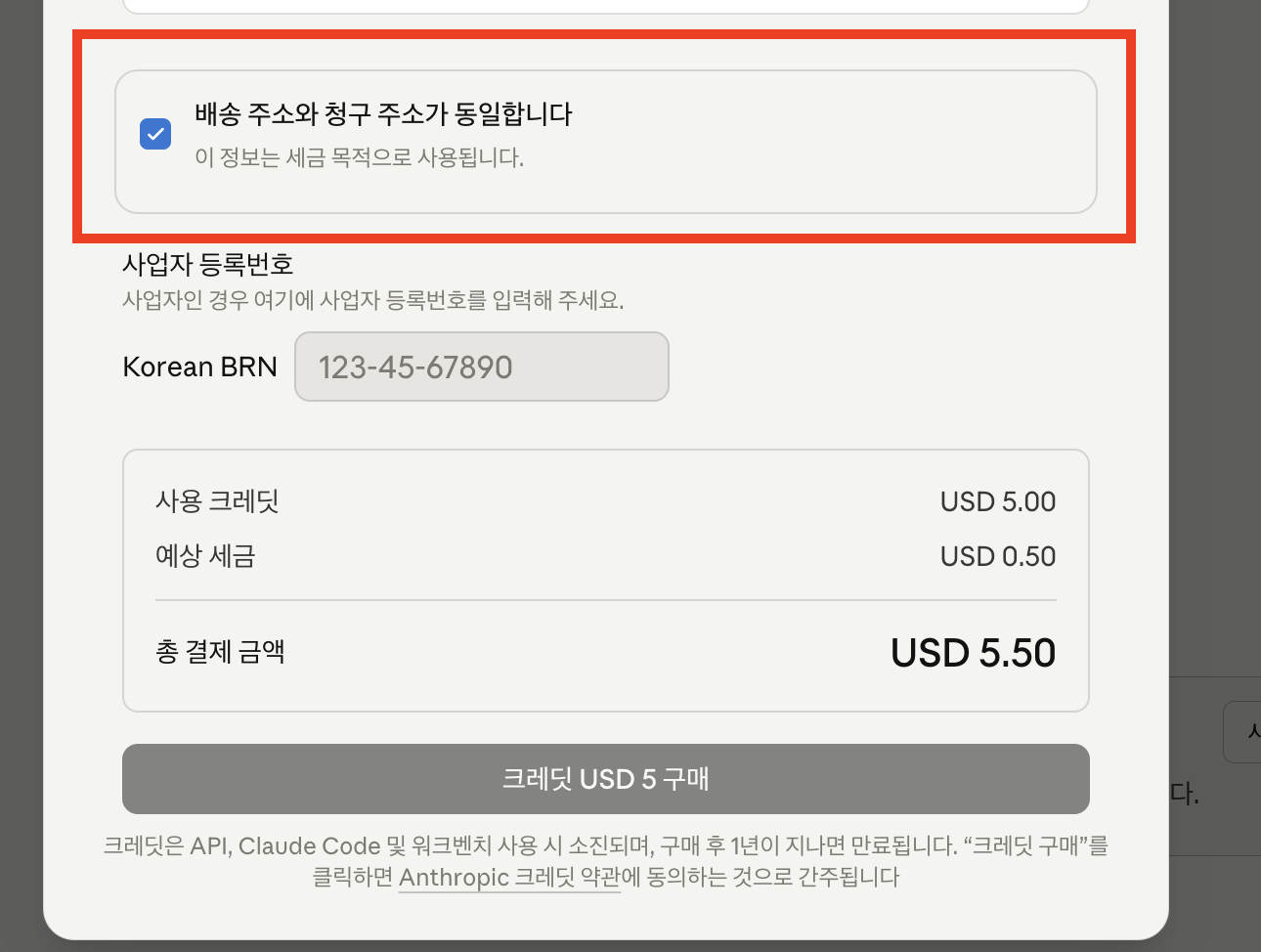
It was clearly checked and set to the same as the billing address, but the City select box was blank.
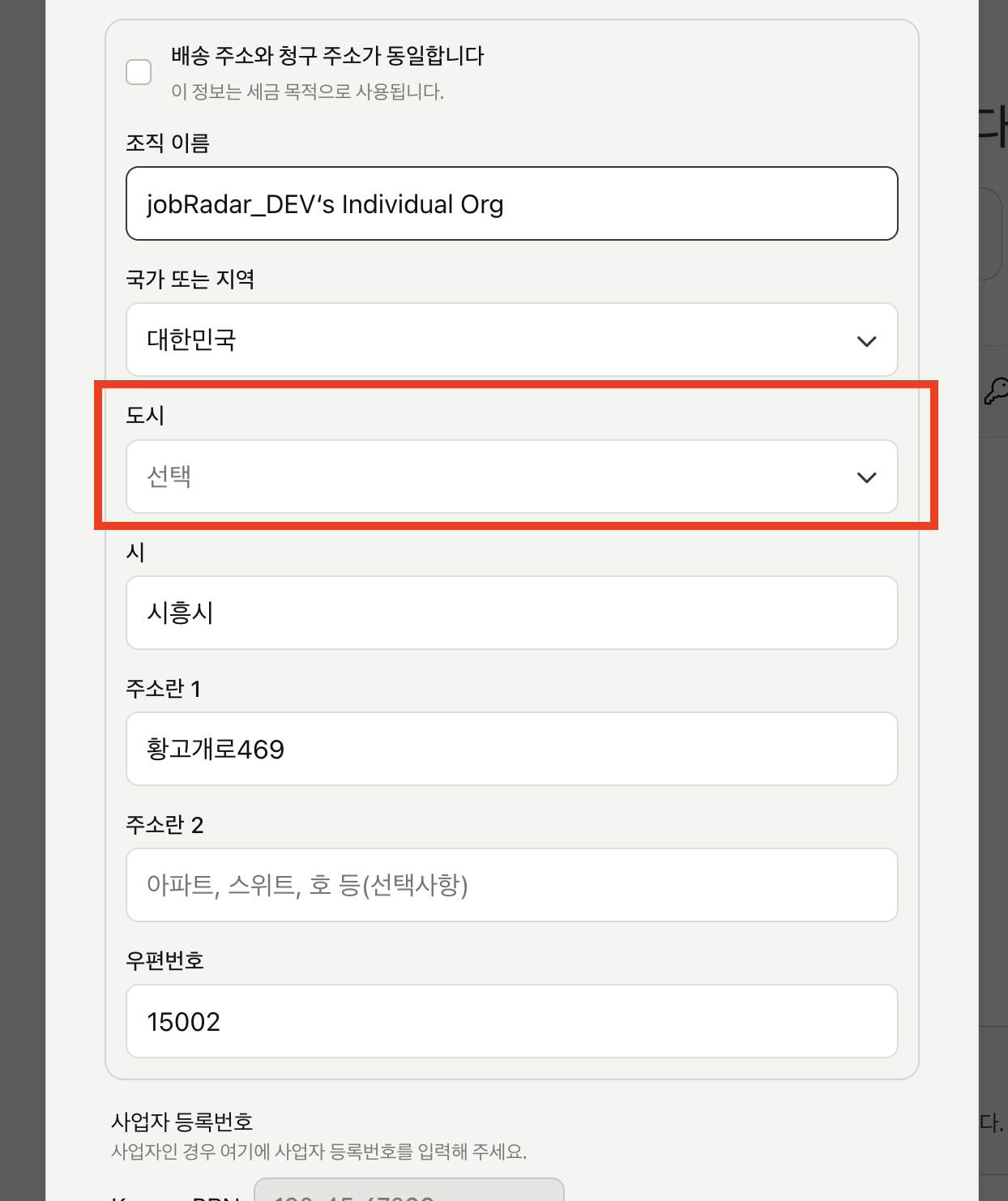
When the language of the checkout page switches from English to another language, the values entered in the select boxes don't seem to be picked up.
Resolved
- Uncheck the box "Shipping address and billing address are the same"
- Manually select the City field for the shipping address
- The Buy button is activated
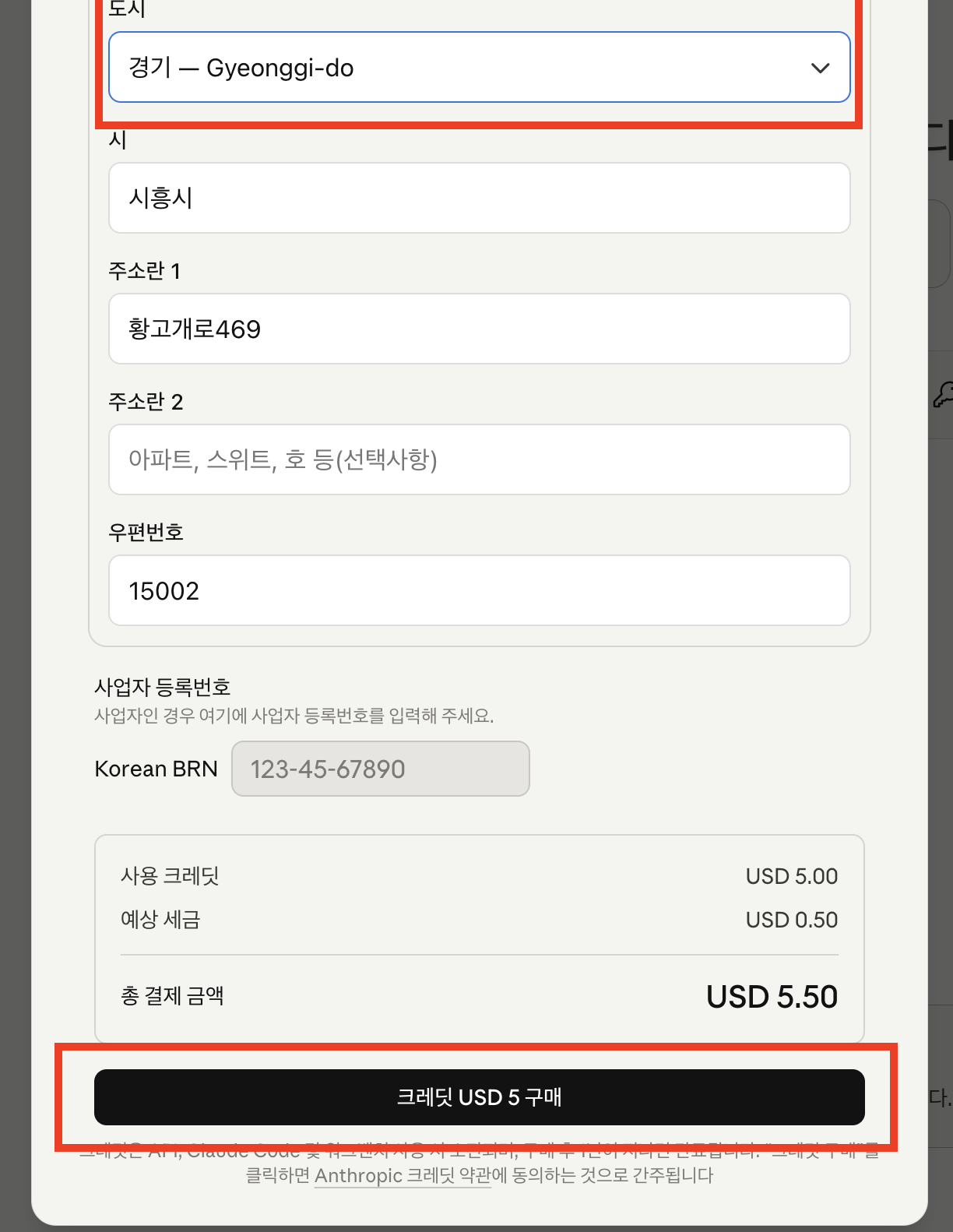
Cleanup
| Situation | Things to check |
|---|---|
| Buy button is disabled | Make sure that the City select box is actually checked |
Billing=Shipping is checked but not working | Uncheck it and manually select the shipping address city |
It seems to be a bug that resets the select box values when switching languages, which can be confusing because it looks like it's populated.
This ended up messing up one of my accounts, so the API created a separate account with a development email. I was going to separate the accounts later anyway, so I figured it was a good idea.
backtodev
A 40-something PM returns to code. Learning, failing, and growing.