How to Email Claude Support — Bypassing the AI Chatbot
I accidentally deleted my organization from the Claude console. And just like that, I was locked out — couldn't log in at all.
I went to the support page and tried the chat — but it just kept giving me automated AI responses. I needed to send an email, but there was no email address anywhere on the page.
Turns out, you have to create a ticket through the chatbot first before an email form becomes available. There's a specific flow you need to follow.
The Flow
Log out → Open chatbot on support page → Select "I can't login" → Enter email → Ticket created → Write your email
Step 1 — Log Out, Then Open the Chatbot on the Support Page
When you're logged in, the ticket creation option may not appear. Log out first, then visit the support page.
Click the chat icon to open the chatbot window.
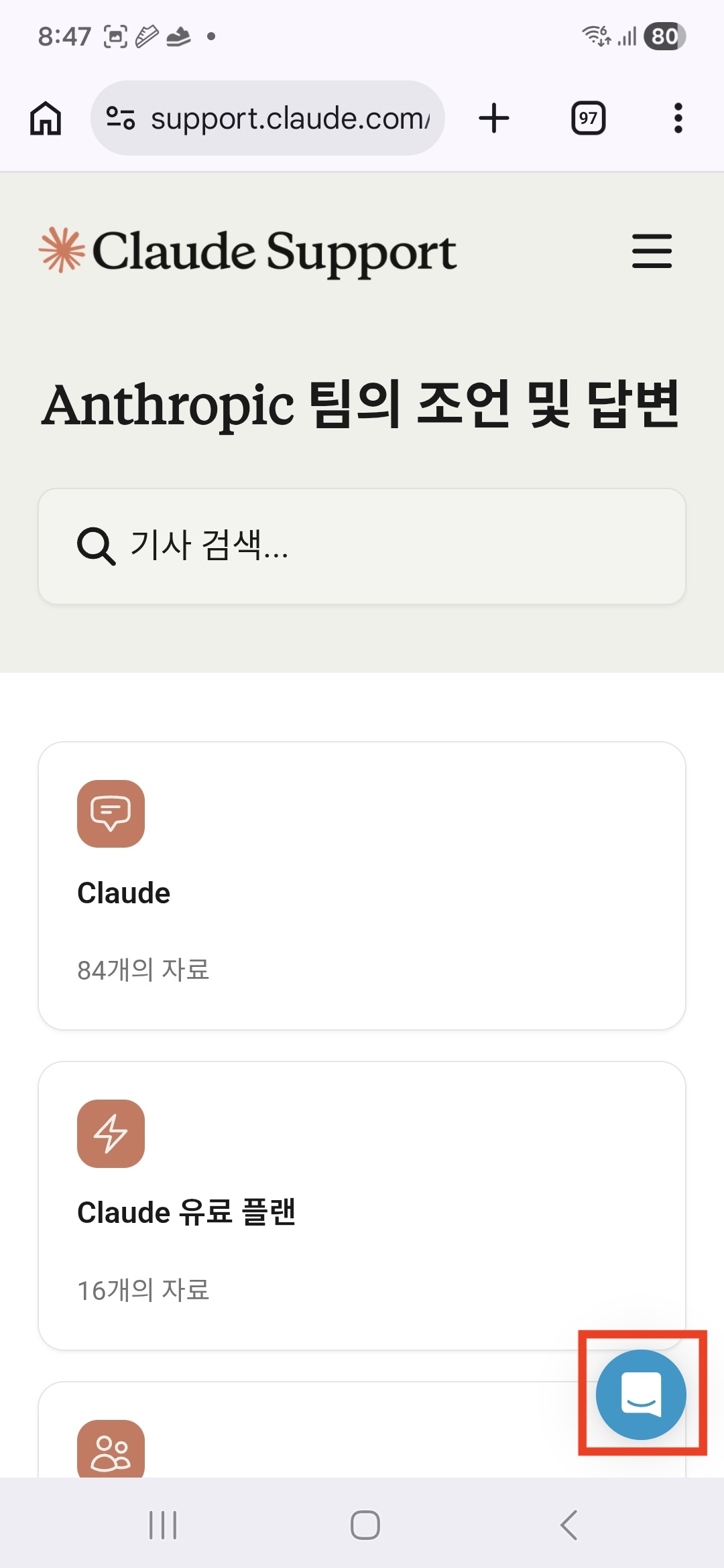
Once the chatbot window opens, send a message to start the conversation.
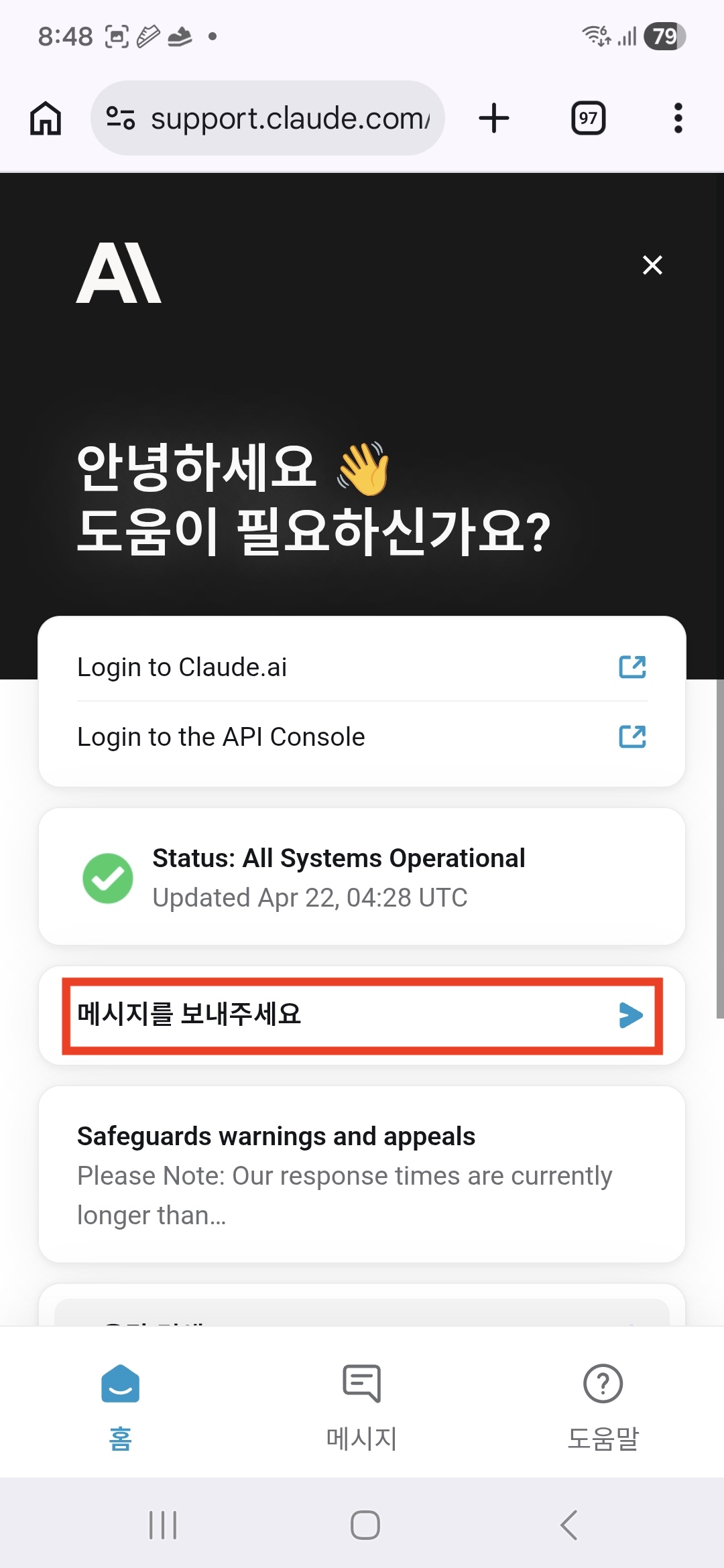
Step 2 — Select "I can't login"
You'll be presented with options. You must select I can't login.
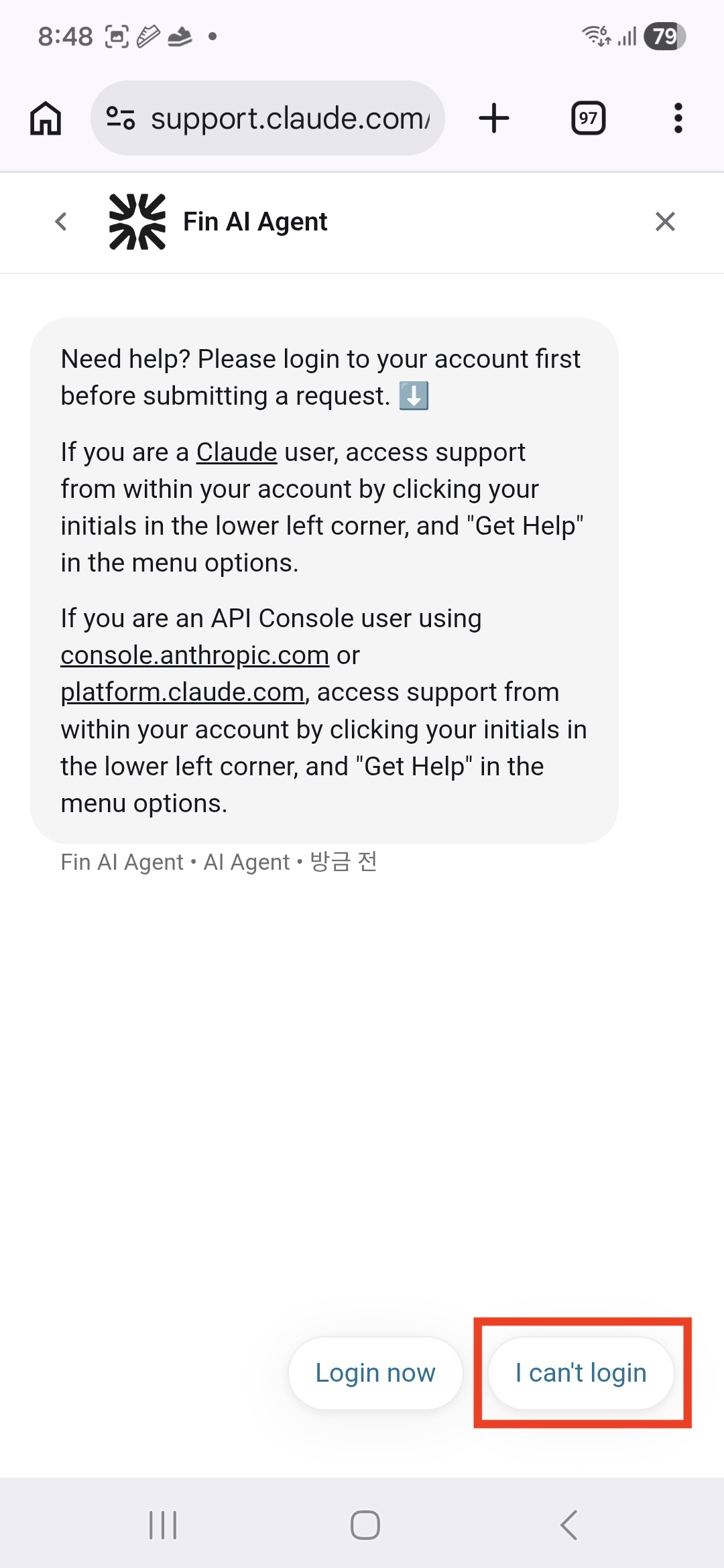
If you click
Login now, it just redirects you to the login page — an infinite loop when you can't log in to begin with.
Step 3 — Accept Terms and Enter Your Email
Accept the terms when prompted.
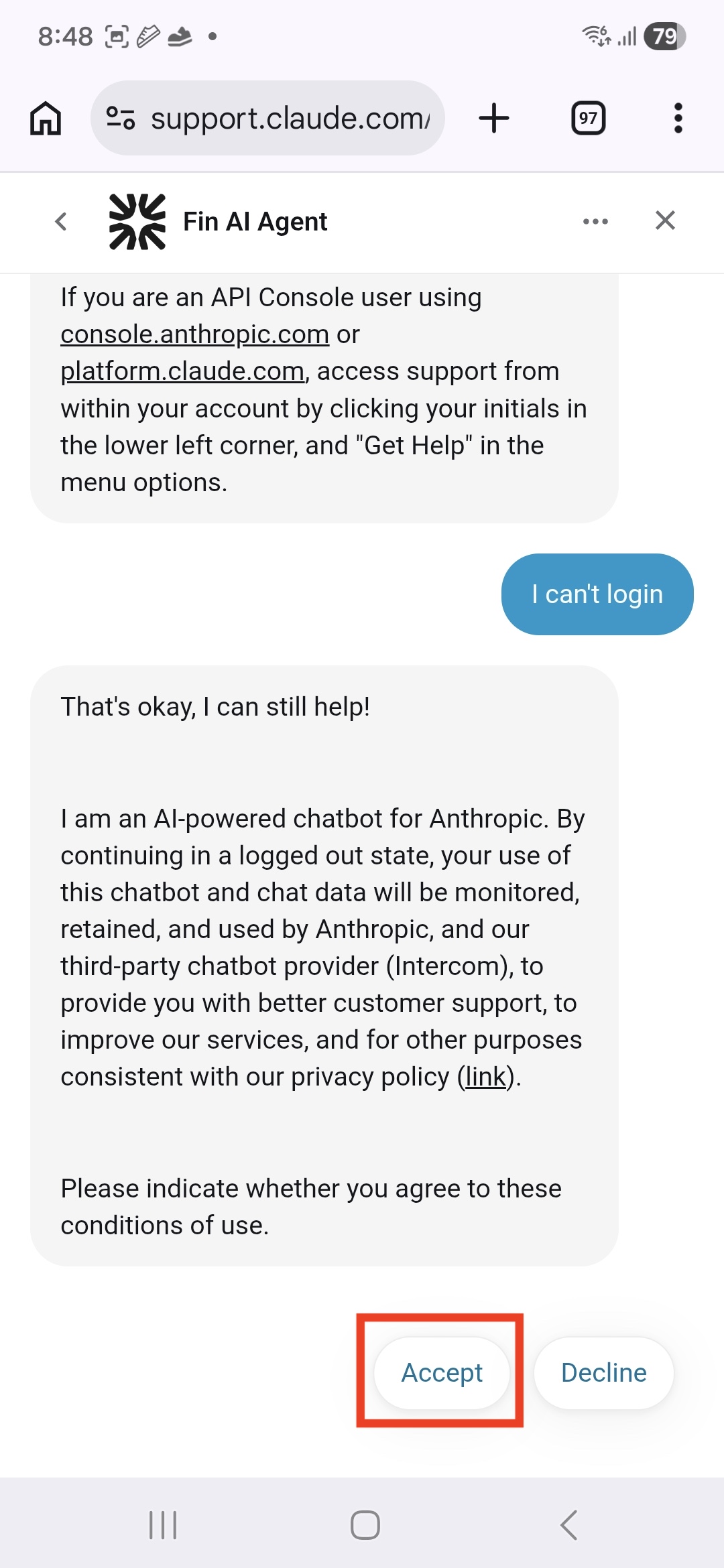
Enter the email address you want to be contacted at.
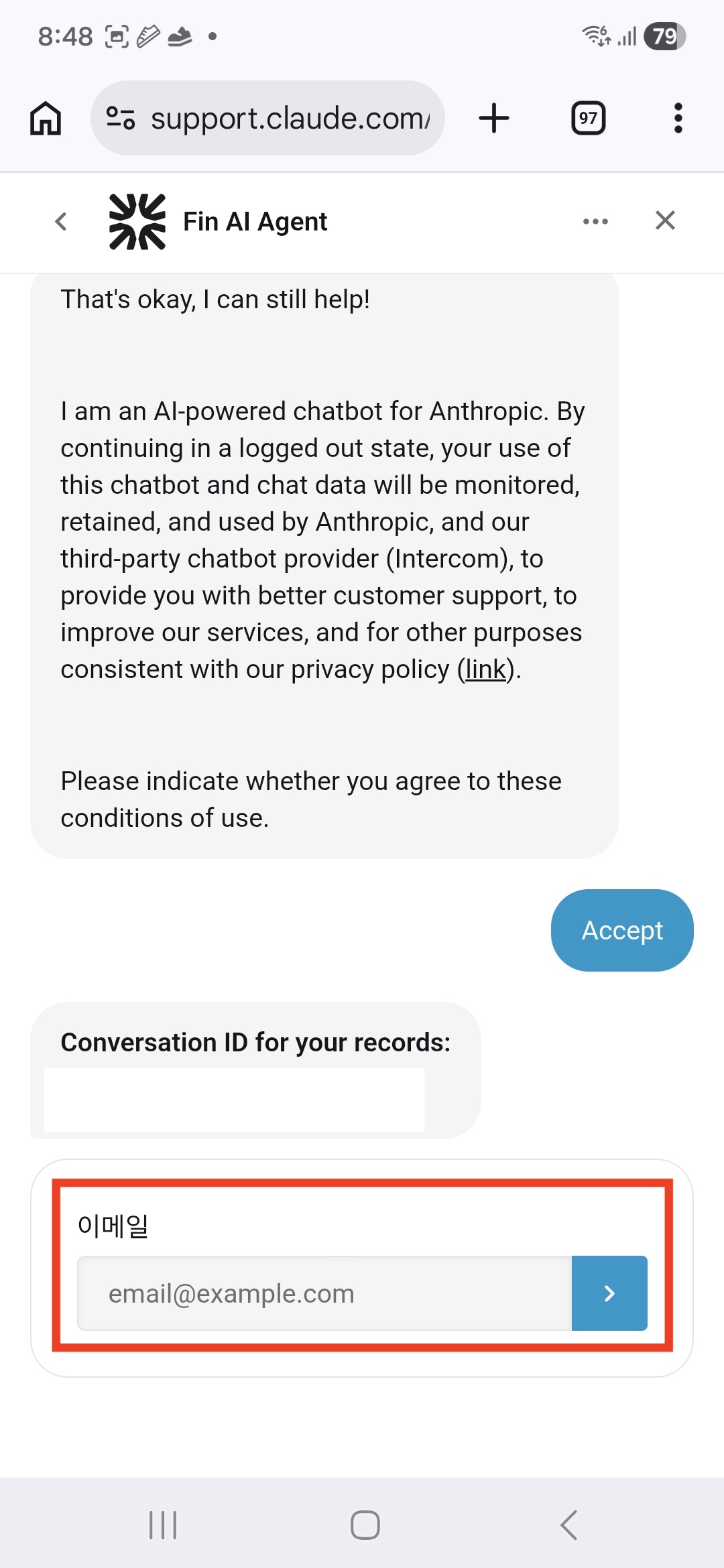
Step 4 — Open the Ticket and Write Your Email
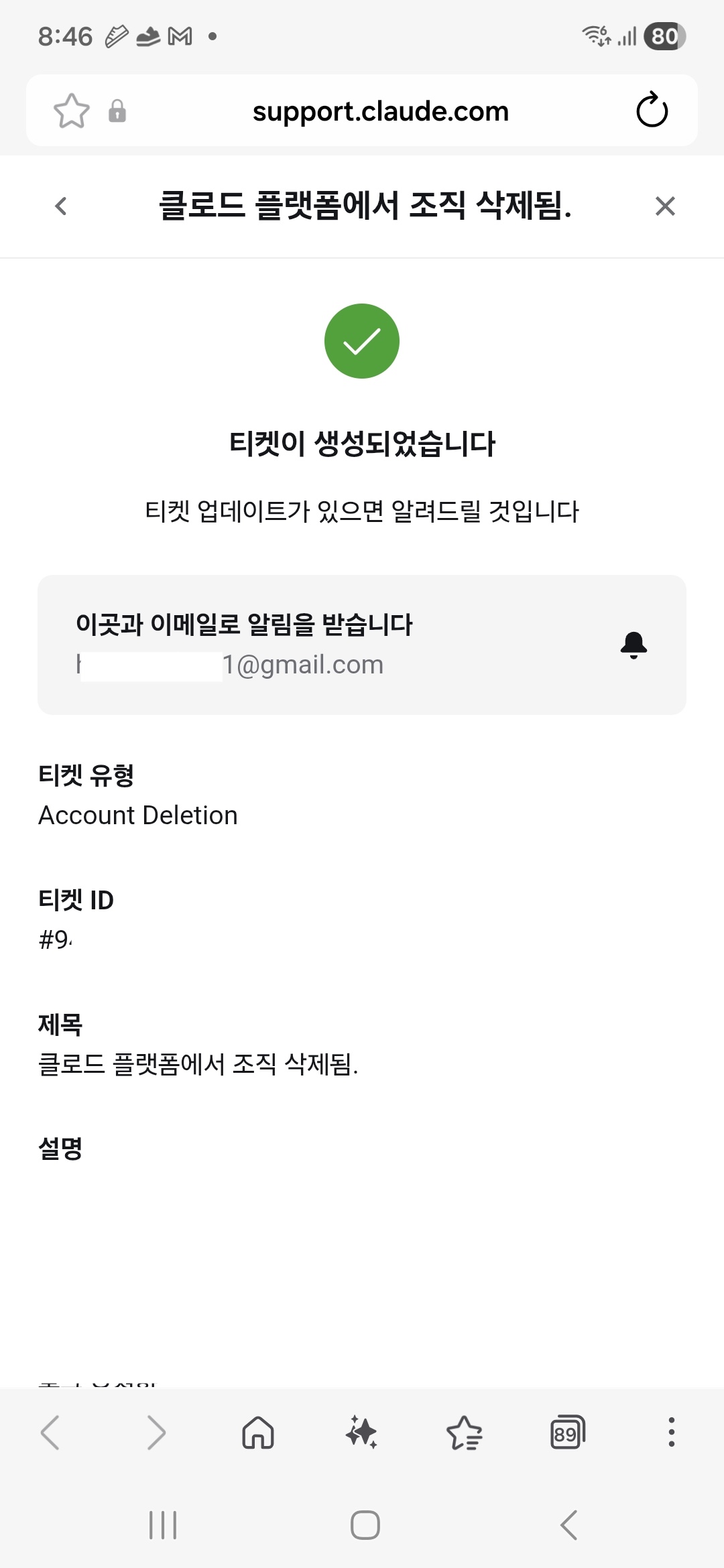
You'll see a confirmation that a ticket has been created. Click on the ticket to open the email form.
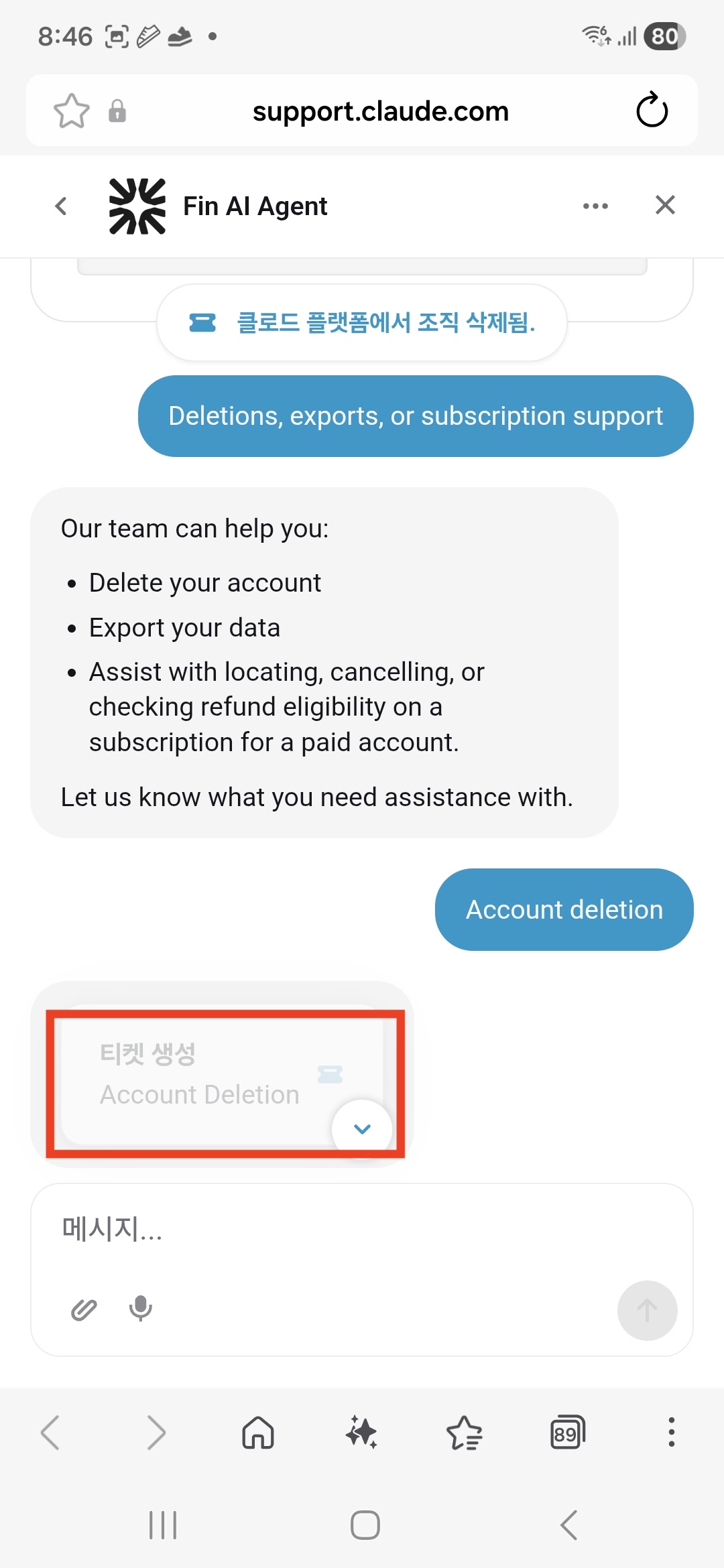
Write your message and submit. You'll see a confirmation screen like this.
Summary
| What to do | Why |
|---|---|
| Log out first | Ticket option may not show when logged in |
Select I can't login | Login now only redirects to the login page |
| Enter your email accurately | The ticket confirmation link is sent to that address |
These days, AI chatbots handle the first line of customer support everywhere. To actually reach a person, you have to work through the chatbot to generate a ticket first. Once you know the path, it's straightforward.
backtodev
A 40-something PM returns to code. Learning, failing, and growing.